
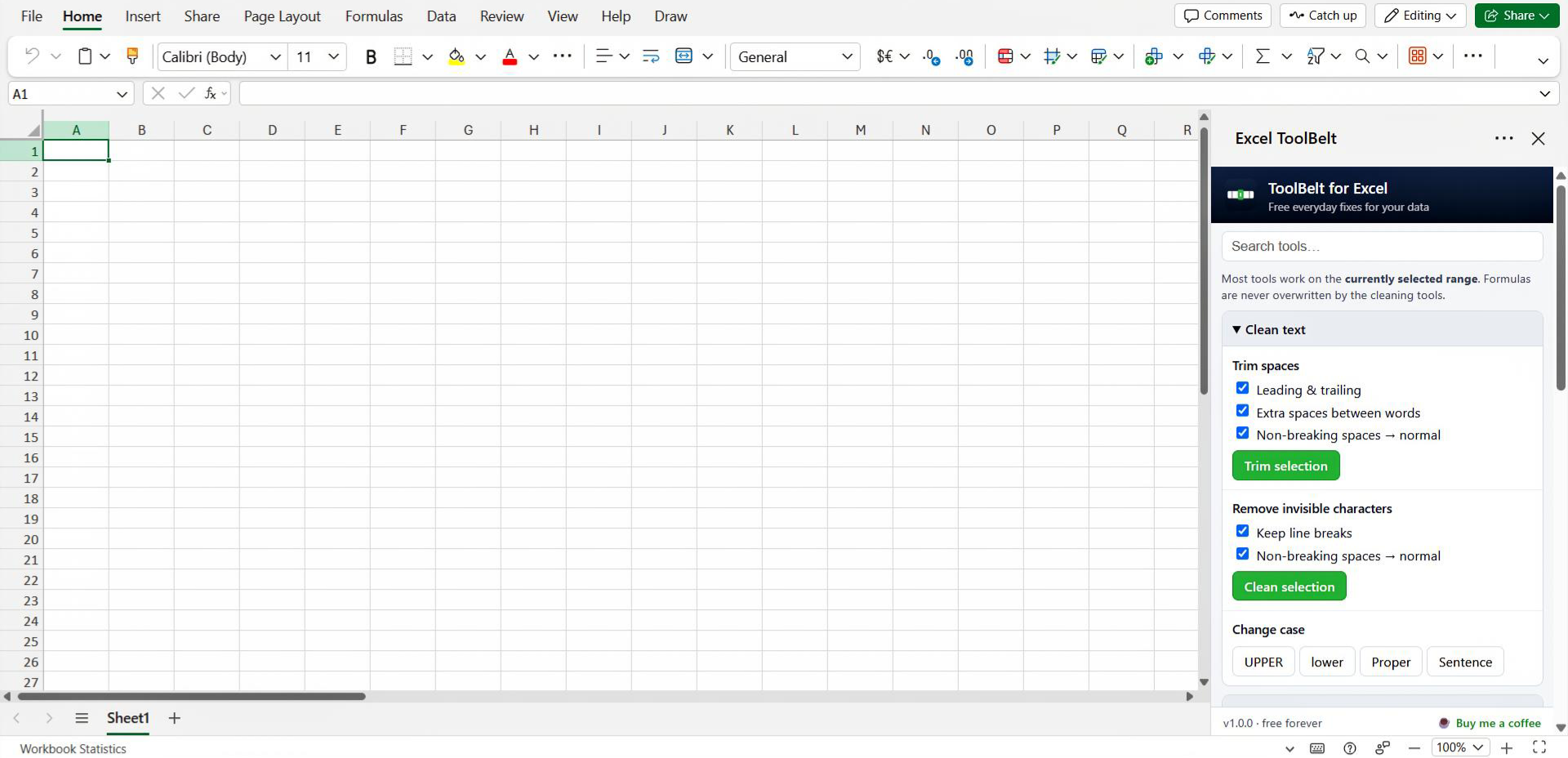
ToolBelt's own ribbon tab, one-click fixes, options in the pane, and Undo for every change.
Install, pick your Excel
🖥️ Excel on Windows ▼▲ setup wizard
- Open the downloaded ToolBelt-Setup.cmd (double-click). If Windows shows a security note, choose Run, the setup is a small, readable script.
- Approve the one-time administrator prompt (it registers the add-in folder Excel requires for add-ins installed outside the Office Store).
- Restart Excel → Insert → Get Add-ins (or Home → Add-ins → More Add-ins) → SHARED FOLDER tab → ToolBelt for Excel → Add.
To remove it later: ToolBelt-Uninstall. Prefer to see exactly what setup does? Read the install script, ~40 commented lines.
🌐 Excel on the web ▼▲ no install, just upload
- Download the add-in file above (ToolBelt-manifest.xml, a tiny text file; the add-in itself runs from this site).
- Open any workbook at excel.cloud.microsoft.
- Go to Home → Add-ins → More Add-ins (on some ribbons: Insert → Add-ins).
- Choose the MY ADD-INS tab → Upload My Add-in → select the downloaded file.
- ToolBelt appears on your ribbon. Select a range and click a fix.
🍎 Excel on Mac ▼▲ one Terminal paste
- Download the add-in file above (goes to your Downloads folder).
- Open Terminal (Cmd+Space, type "Terminal") and paste:
mkdir -p ~/Library/Containers/com.microsoft.Excel/Data/Documents/wef
cp ~/Downloads/ToolBelt-manifest.xml ~/Library/Containers/com.microsoft.Excel/Data/Documents/wef/
- Restart Excel → Insert → My Add-ins (click the little arrow next to it) → ToolBelt for Excel.
What's inside
Trim spacesLeading, trailing, doubled, and non-breaking spaces.
Remove invisible charactersZero-width and control characters that break lookups.
Text → numbersFix numbers stored as text, incl. (123) negatives and EU commas.
Text → datesReal Excel dates from ISO, 1/31/2024, 31-Jan-2024, month names.
Fuzzy duplicatesCatch "Jon Smith" vs "John Smith", review before deleting.
Lookup & merge tablesXLOOKUP-style pulls as plain values, with fuzzy keys.
Remove empty rowsClear fully empty rows in your selection.
Change caseUPPER, lower, Proper, Sentence, no formulas.
Merge & split columnsFull name → first + last, and back again.
SheetsBatch-rename with find & replace; clickable index sheet.
Fix trailing minusAccounting imports: "123.45-" → -123.45.
Count uniqueDistinct values with counts, written to a results sheet.
Split letters & numbers"INV2024" → INV | 2024, as text and real numbers.
Its own ribbon tabOne-click quick fixes; option tools open the pane, pre-focused.
One-click UndoRight on the ribbon, restores cells, formats, even deleted rows.
Results on sheetsFuzzy groups, unique counts & merge reports go to tidy "TB" sheets.
Safe by designFormulas never overwritten · new columns inserted, never overwritten.
100% free · no sign-up · no telemetry
Questions?
Free forever, if ToolBelt saves you time, please consider supporting my work - Thank You 💙